


Matomo Deployment – Privacy-Focused Web Analytics You Fully Control
Matomo is a powerful open-source web analytics platform designed for businesses that want full ownership of their data. Unlike Google Analytics, Matomo allows you to host analytics on your own infrastructure, ensuring complete control, transparency, and compliance with GDPR and other privacy regulations.
With TryDirect, you get a fully configured self-hosted Matomo deployment, ready to collect accurate website insights without sharing user data with third parties.
Matomo stack is a set of applications, built around the web analytics platform Matomo (formerly Piwik Analytics) as the main application. By default, Matomo stack includes the following apps: Matomo, Nginx web server, PHP, MySQL database, Redis cache, RabbitMQ.
Why Choose Self-Hosted Matomo Instead of Google Analytics?
Many companies are moving away from Google Analytics due to privacy concerns, legal uncertainty, and data ownership limitations. Matomo solves these problems by keeping all analytics data under your control.
Key benefits of Matomo:
- 100% data ownership and privacy
- GDPR, ePrivacy, and cookie-law friendly
- No data sampling, even with high traffic
- Accurate real-time analytics
- Open-source and transparent tracking logic
- Works without cookies if required
Matomo is widely used across Europe, Canada, and privacy-sensitive industries such as SaaS, e-commerce, healthcare, finance, and education.
What Is Included in TryDirect Matomo Deployment?
Our Matomo deployment service removes the complexity of manual installation and server configuration.
You receive:
- Fully installed and configured Matomo (self-hosted)
- Optimized database setup (MySQL / MariaDB)
- Cron-based report archiving for performance
- Secure server configuration and SSL support
- Stable environment ready for production use
- Easy access to analytics dashboard
No DevOps skills required. No manual setup. Everything works out of the box.
Who Is This Service For?
This Matomo deployment is ideal for:
- Businesses migrating from Google Analytics 4
- SaaS products that require data control
- E-commerce websites tracking conversions
- Marketing agencies managing client analytics
- Companies operating under strict GDPR rules
- Organizations that need long-term analytics ownership
If analytics data is important for your business decisions, self-hosted Matomo is a reliable and future-proof choice.
Matomo Usage Worldwide
Matomo is used by over 1.5 million websites globally and continues to grow as privacy regulations tighten. It is one of the most deployed self-hosted analytics platforms in the world, trusted by companies that value accuracy, independence, and compliance.
Deploy Matomo in Minutes with TryDirect
Instead of spending hours on server setup, updates, and troubleshooting, you can launch Matomo quickly with TryDirect and focus on analyzing your data.
Get a production-ready Matomo analytics platform without complexity, vendor lock-in, or privacy risks.
Privacy-first analytics starts with ownership. Matomo makes it possible.
Extensions and plugins
- You have an option of choosing WAF / ModSecurity for Nginx. In this case, the Nginx web server compiled with the ModSecurity module will be installed. There is also a preinstalled list of rules - OWASP CRS (ModSecurity Core Rule Set) Version 3.
- Matomo analytics can be enhanced through the integration with over 100 plugins from the Open Marketplace, such as Cohorts, IP2Proxy, WooCommerce Analytics, Activity Log, Tracker Js Cdn Sync and many more.
- You can benefit from the best of over 100 Matomo Integration plugins like Joomla, WordPress, Drupal, SparePoint and others for CMS, frameworks, forums, online shops and many more.
Matomo can be installed on a single physical server or a VPS virtual private server, as specified by the indicator at the bottom right on the TryDirect deployment settings page.
The platform supports servers behind proxies, works in a load-balanced architecture, and supports IPv4 and IPv6 addresses.
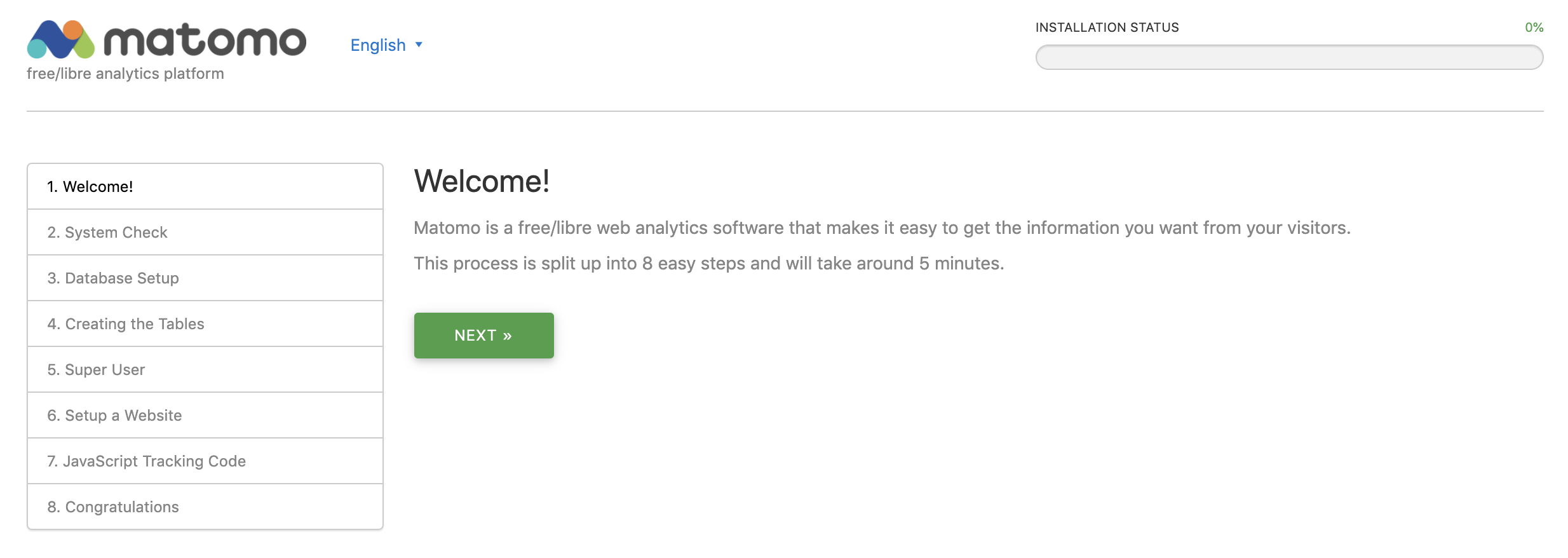
The installer will be available at the IP address that you will receive immediately after the installation is complete. You can find the “IP” in the “User info & SSH Access” section of the email.
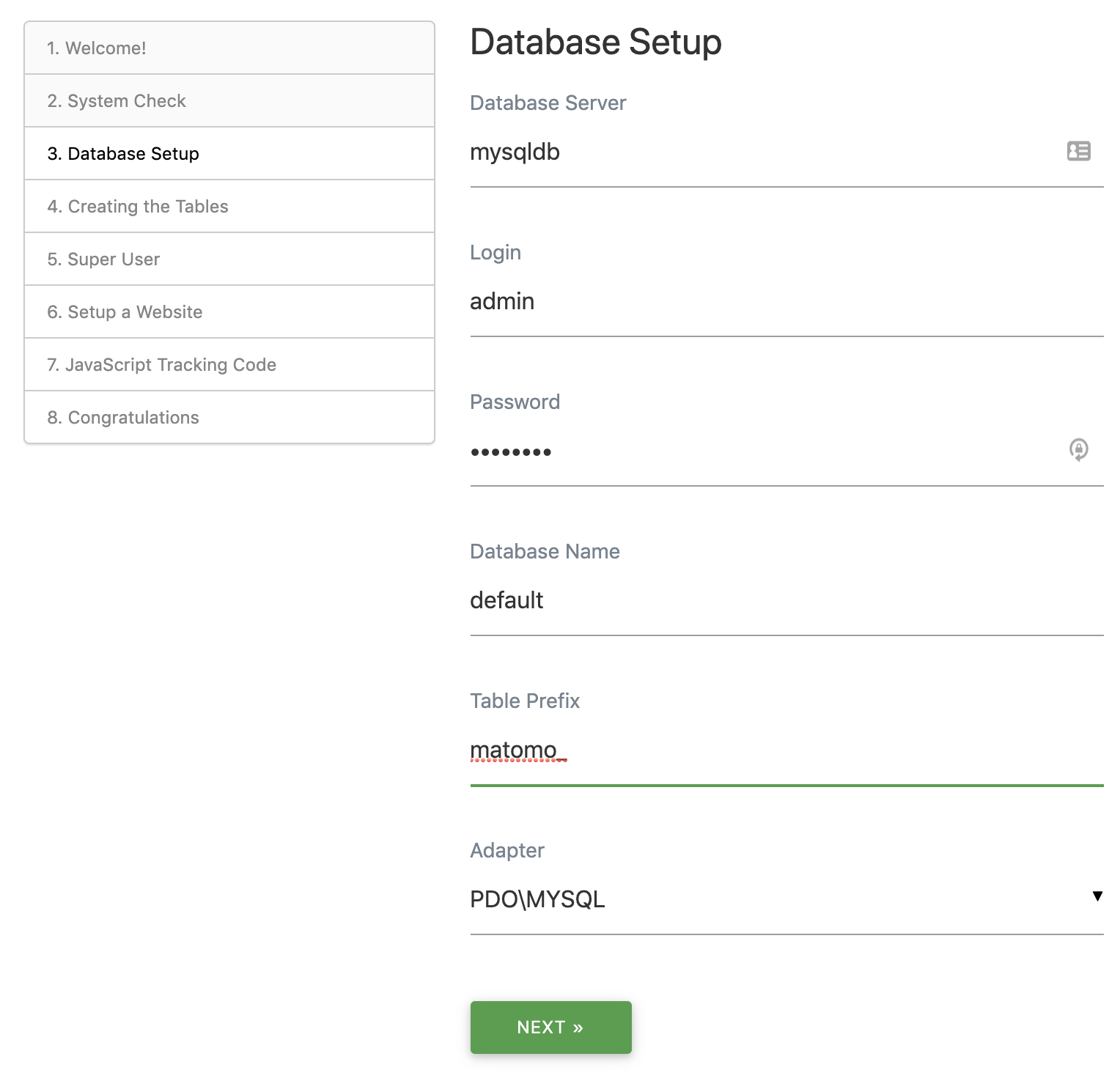
Example: Database setup
Replace default database settings with the settings from email.
MYSQL_HOST: mysqldb
MYSQL_PORT: 3306
MYSQL_USER: admin
MYSQL_DATABASE: default
MYSQL_PASSWORD: b1r1G1z2
So Instead of 127.0.0.1 put “mysqldb”, see below
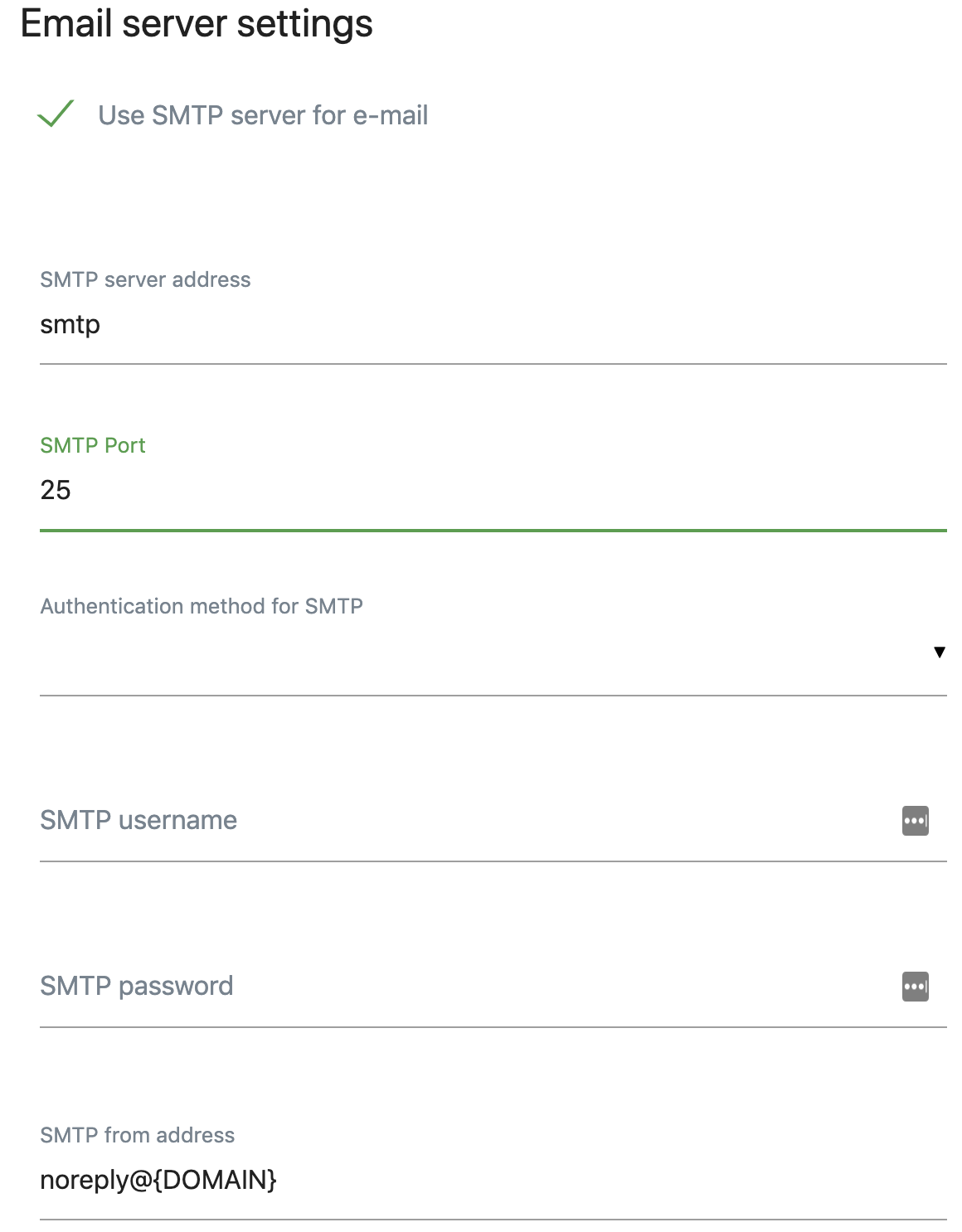
When all steps complete, log into Matomo admin dashboard, find System -> General Settings -> Email Server Settings and enter the following:
NUMBER OF SERVERS REQUIRED:
Single VPS server
Companion apps

Fail2ban scans log files and bans IPs that show the malicious signs. Highly recommended for simple VPS server setup

NGINX - is an HTTP and reverse proxy server, a mail proxy server, and a generic TCP/UDP proxy server

Get the easiest way to manage your MySQL server by including phpMyAdmin within the current deployment. Easily pause or stop phpMyAdmin container later.

Nginx Proxy Manager is a user-friendly software application designed to effortlessly route traffic to your websites, whether they're hosted at home or elsewhere. It comes equipped with free SSL capabilities, eliminating the need for extensive Nginx or Letsencrypt knowledge. This tool proves especially handy for simplifying SSL generation and seamlessly proxying your docker containers.

Experience the power of MyDumper, a cutting-edge MySQL Logical Backup Tool, equipped with two indispensable components:
- MyDumper: Seamlessly export consistent backups of your MySQL databases, ensuring data integrity and reliability.
- MyLoader: Efficiently retrieve backups from MyDumper, establish connections to destination databases, and facilitate seamless imports.
Harness the potential of multithreading capabilities embedded in both tools, optimizing your backup and restoration processes.
Embrace the advantage of an Open Source solution that's driven by a vibrant community, making MyDumper a standout choice for your backup needs. Remember, MyDumper is independent of Percona, MariaDB, or MySQL products, delivering authenticity and robust performance.
Elevate your MySQL backup strategy with MyDumper today!

Monitors health, collects metrics, manages Docker containers, and executes commands — all from a single statically-linked binary.

Portainer is a lightweight management UI that allows you to easily manage your different Docker environments (Docker hosts or Swarm clusters)